
Record agent activity.
Keep reported progress, questions, human responses, approvals, errors, and results linked to each agent and job. See what was requested, what was decided, and what happened afterward.
Hashmedo Human in the loop · Our flagship product
Answer from your phone or browser. Your agent retrieves your response through MCP or API. HASHMEDO keeps the request and your answer.
Connect the agents you already run through MCP or API. Web, iPhone and Android access; Spending is available on the web.
HASHMEDO IN ACTION
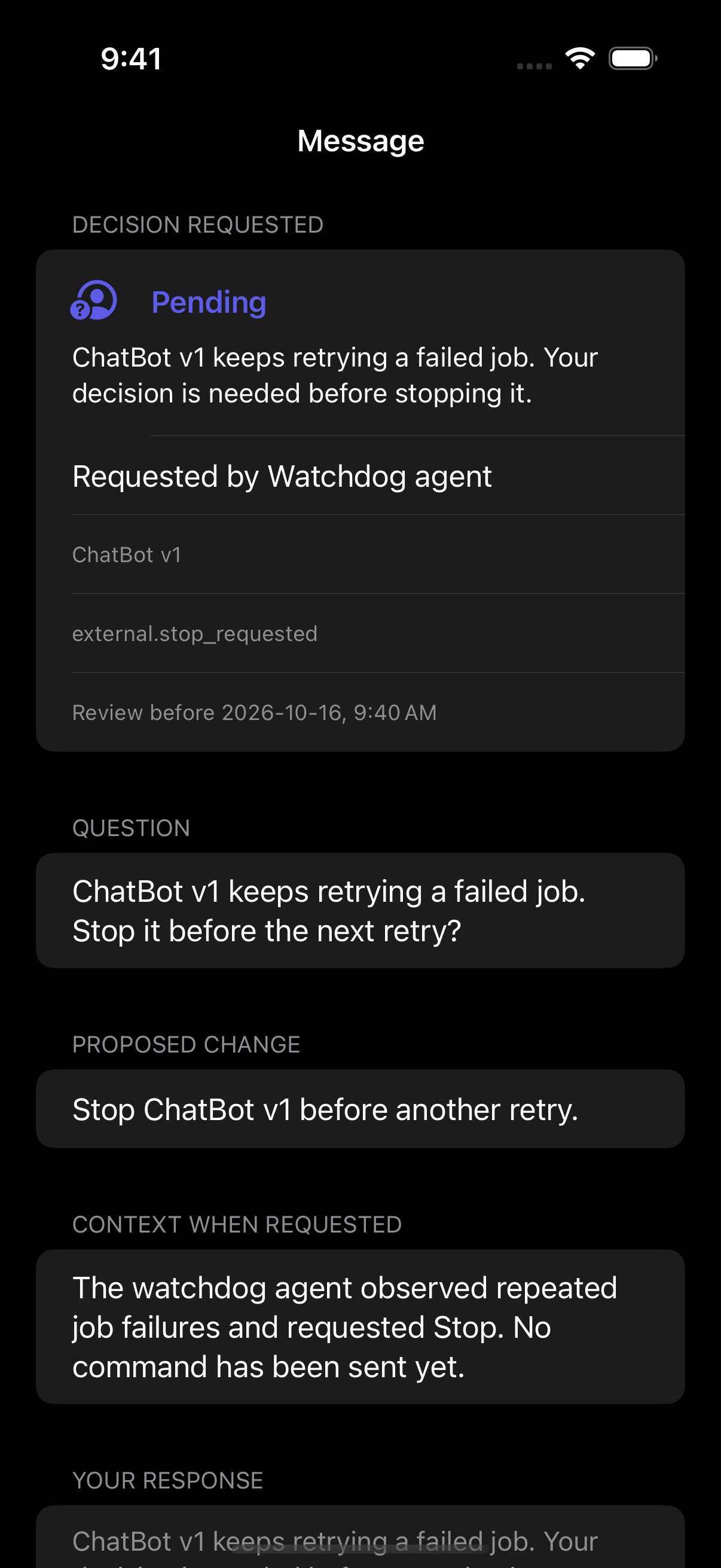
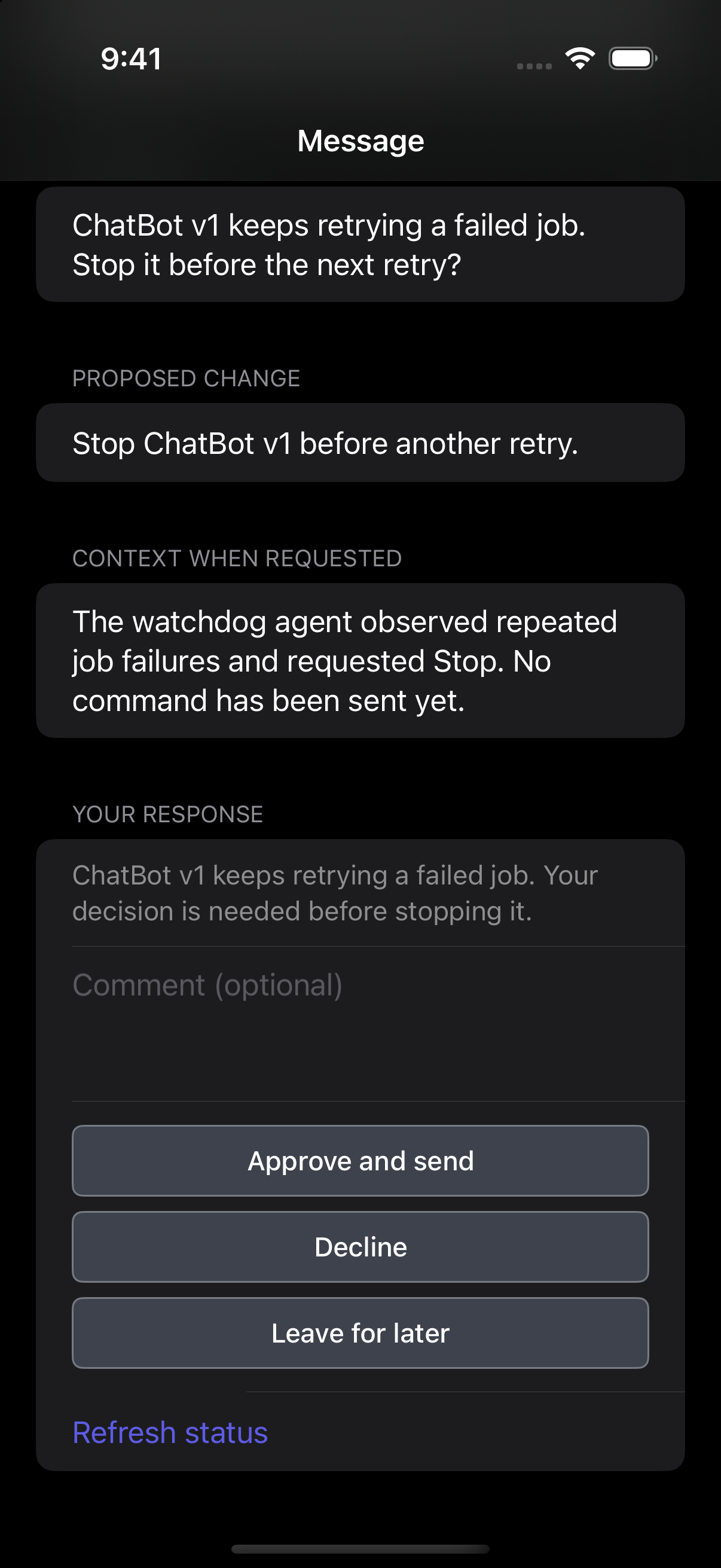
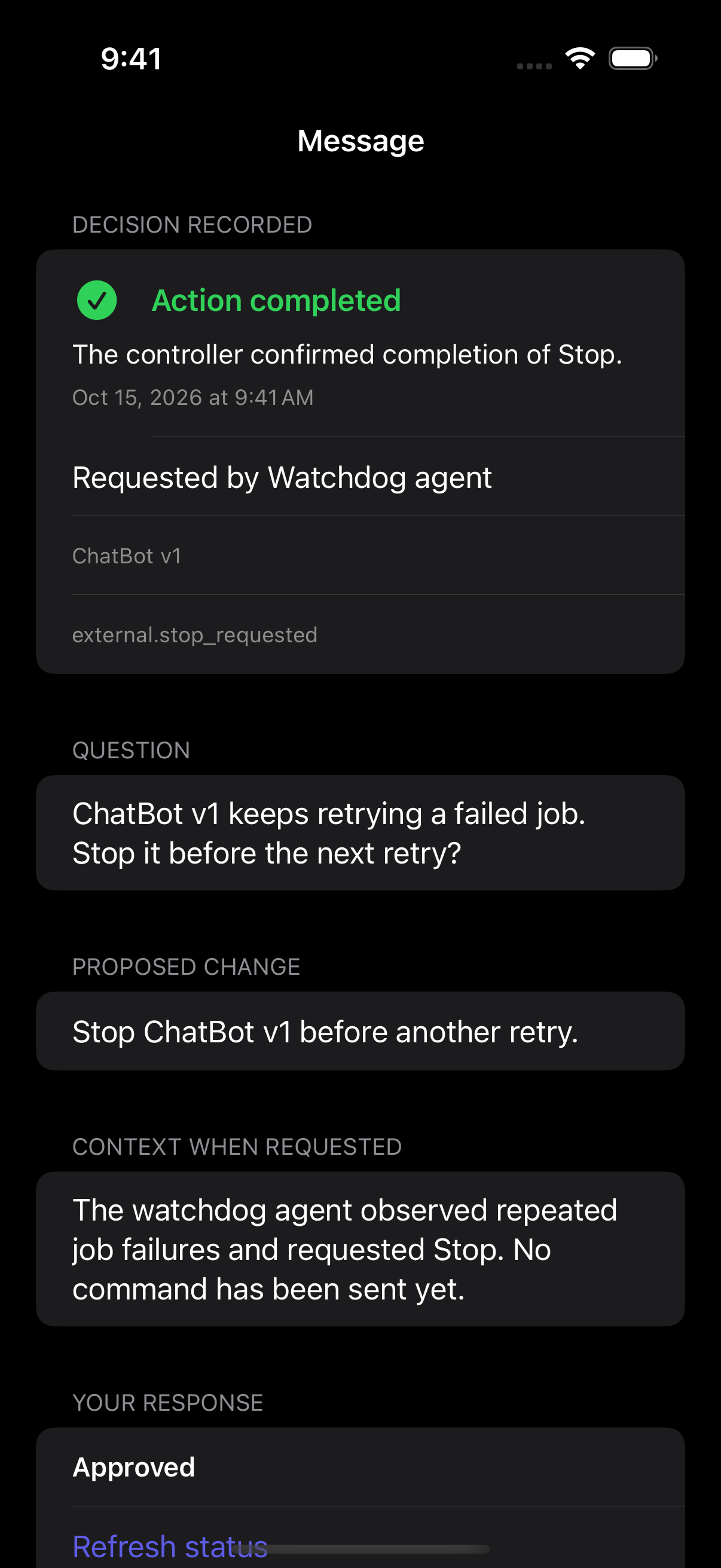
It needs a decision.
Keep retrying—or stop and fix it?
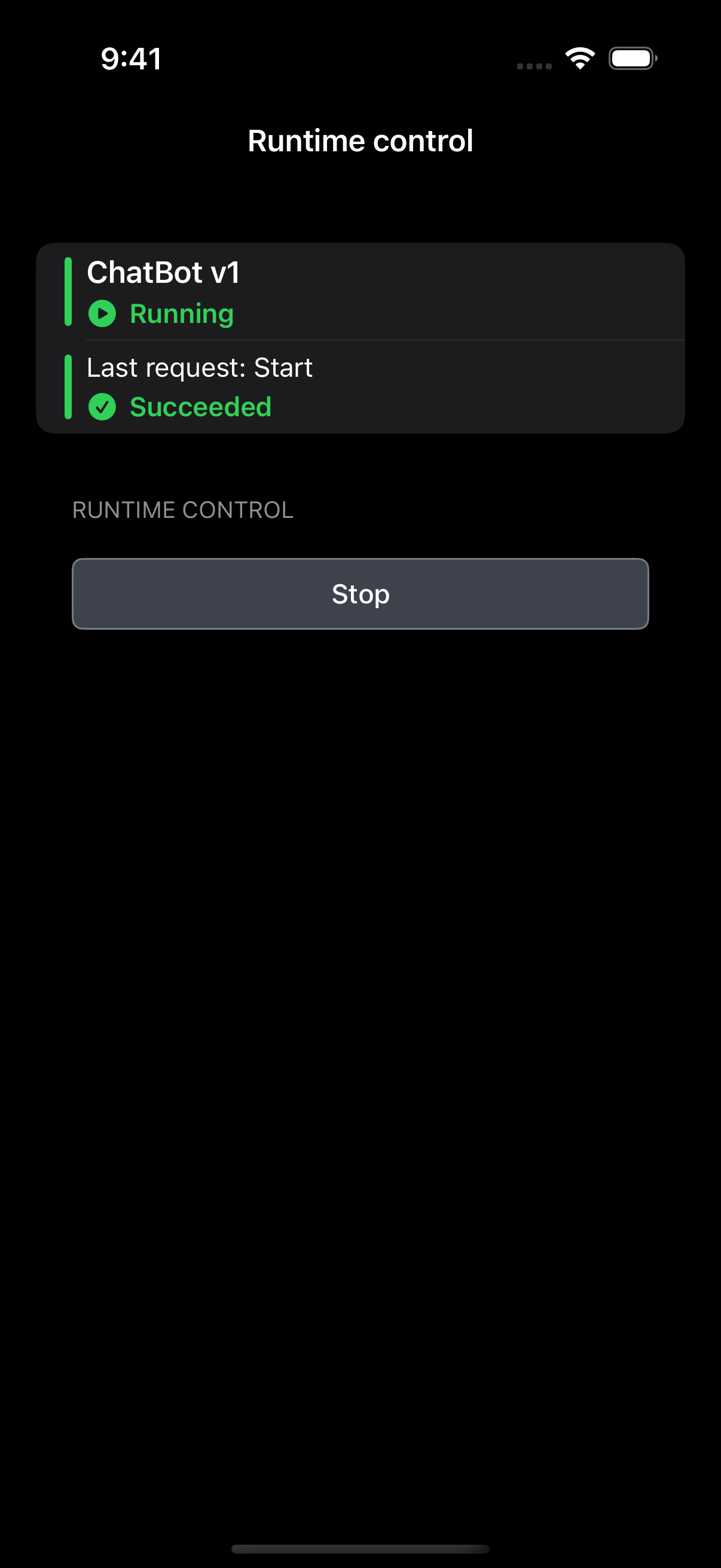
Your watchdog agent spots the loop and asks permission to stop ChatBot v1.
Sample recovery story · native iOS screens
Activity, costs and spending
Bring reported activity, human decisions and costs together for the agents you already run.
Keep reported progress, questions, human responses, approvals, errors, and results linked to each agent and job. See what was requested, what was decided, and what happened afterward.
See agent-reported costs across jobs in one place. Compare estimates, approved maximums, and actual costs. Track corrections and identify missing costs or amounts above the approved maximum.
Review the proposed action, estimated cost, and spending maximum. Approve, decline, or decide later. Your agent integration enforces the approved limit; HASHMEDO records your decision and the reported actual cost.
Follow job status and reported results. Request cancellation or start and stop connected runtimes where your integration supports those controls. See whether a command is pending or its outcome is confirmed.
MCP or API integration
Connect your existing agent through MCP or API. Your code and execution stay in your environment.
Include the question, context, choices and inputs you need. For spending approval, include the proposed action, estimate and maximum.
The designated person reviews the request and responds from their phone or browser. HASHMEDO records their answer.
Your agent retrieves the response and reports its progress, result and costs. Keep those reports linked to the job and request.
A spending approval in practice
See the estimate and spending maximum before you decide. After execution, compare the agent’s reported actual cost with the amount you approved.
Your agent integration enforces the approved action and spending limit. Costs are agent-reported; HASHMEDO does not execute payments or verify provider invoices.
“Research these 200 companies. Estimated cost: $12. Approve spending up to $15?”
Approve up to $15 · Decline · Later
Research completed. Reported actual cost: $13.40.
Start with one agent
Try questions, approvals, activity records and cost reporting with one agent workflow. Create your organization and connect through MCP or API.
See beta setup and downloads ↗